# Songs Tab
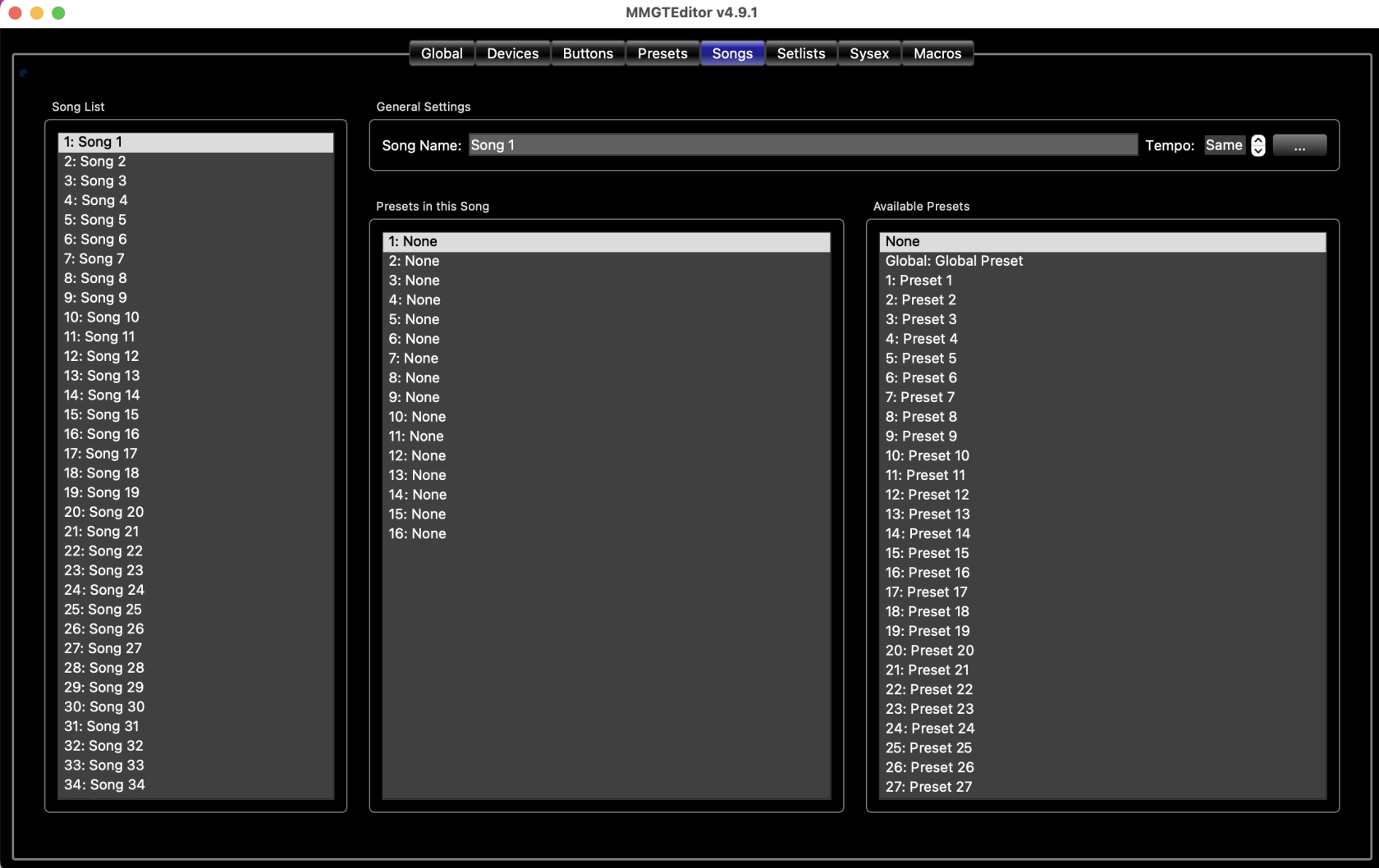
The Songs Tab is where you can edit songs and assign presets to those songs. See the [Songs and Setlists](https://docs.rjmmusic.com/books/mastermind-editor-manual/page/songs-and-setlists "Songs and Setlists") section for more information on how songs and setlists work.
[](https://docs.rjmmusic.com/uploads/images/gallery/2022-08/screen-shot-2022-08-26-at-9-49-07-am.png)
## Song List
The leftmost column contains a list of all of the songs in the system. Select a song in this list, and you can edit the song using the fields on the right side of the screen. You can also change the order of your songs simply by dragging and dropping songs within this list
## General Settings
**Name** - Assigns a name to this song
**Tempo** - Sets the tempo of this song. if **MIDI Clock** is set to *Master* or *Auto*, then this new tempo will be transmitted to connected MIDI devices. You can also specify one of these special values:
- **Off** - Don't send tempo for this song
- **Preset** - Use the current preset's tempo
- **Same** - Keep the same tempo
## Presets in this Song
This is a list of presets that are in the currently selected song. There are 16 slots, each of which can have a preset assigned, or no preset assigned. When this song is selected on your Mastermind GT, these presets will be displayed over your preset buttons. The [Preset Button Index](https://docs.rjmmusic.com/books/mastermind-editor-manual-46/page/preset-button-index "Preset Button Index") section describes how the presets are assigned to the preset buttons.
If your song has more presets than the number of preset buttons on the current button page, the extra presets will not be displayed.
Similar to the Song List, you can drag and drop presets within this list to change the order of presets within the song.
## Available Presets
This is a list of all presets in the system. To put a preset into your song, select a slot in the **Presets in this Song** list, then select a preset from the **Available Presets** list. There's a **None** option at the top of this list you can use to create an empty slot.
***For more information about songs and setlists, see Mastering the Mastermind episode 11, [Songs and Setlists](https://youtu.be/WGepWLVIwcw)***